
Save media you're authorized to download
Discover savable media while you browse, preview it in the extension panel, then download and track progress. Direct URLs and HLS are supported, and remuxing happens entirely on your machine.
Simple · Efficient · Private
Three steps
No extra software, no command line. Play the video, open the extension, pick what to save.
Play the media
The extension watches media requests in the background and scans audio/video elements on the page.
Open the toolbar icon
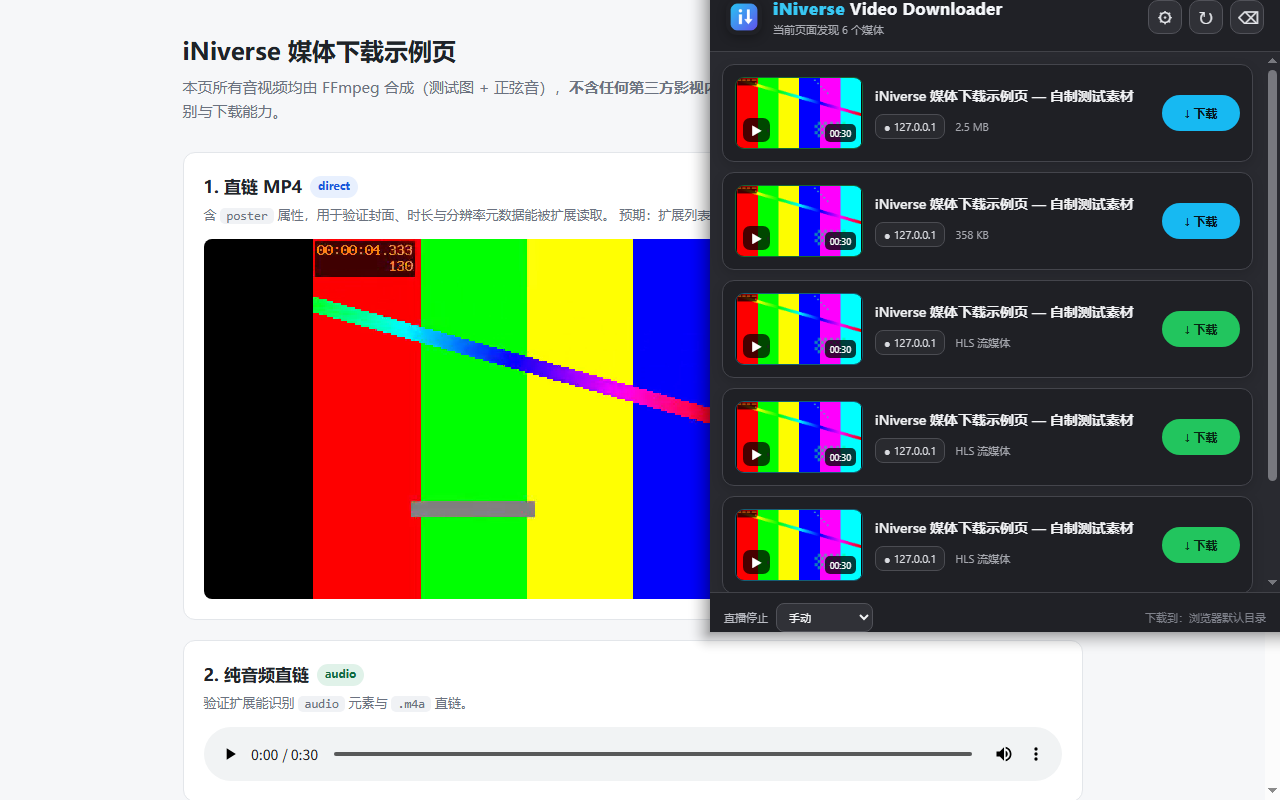
The panel lists detected media with thumbnail, duration, file size and source site.
Download and track
HLS segments are fetched in the background and remuxed to MP4; the button becomes "Play" when done.
Capabilities and limits, stated plainly
We only do what we can do reliably, and we say what we can't — so you don't discover a failure halfway through.
Supported
- ✓Direct media: MP4, WebM, MOV, M4V, MP3, M4A, OGG, WAV
- ✓HLS VOD and live: automatically picks the highest quality variant
- ✓Standard AES-128: decrypted locally using keys the playlist normally provides
- ✓Local remux: MPEG-TS repackaged as MP4, no re-encoding, no upload
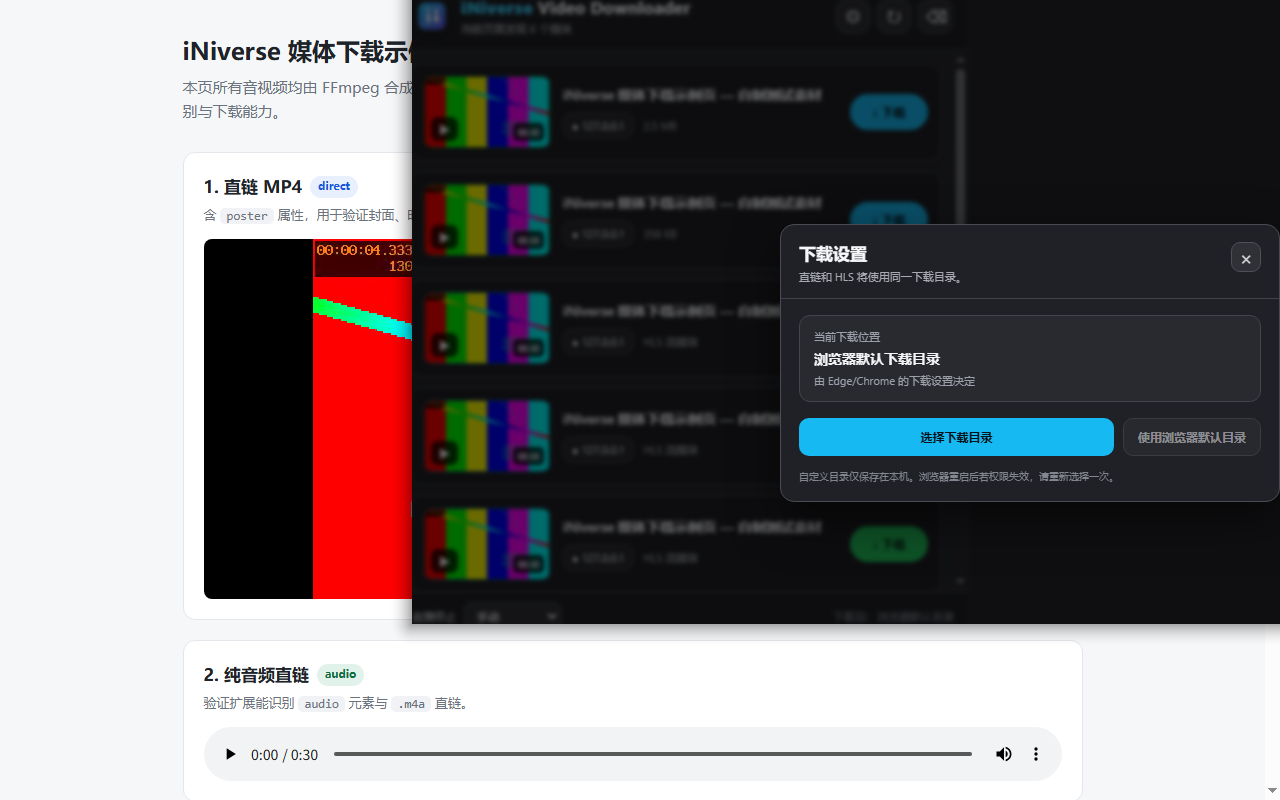
- ✓Choose your folder: duplicate names auto-numbered, downloaded items marked
- ✓Preview in the panel: check the content before downloading
Not supported
- —DRM-protected content: not parsed, decrypted or bypassed
- —SAMPLE-AES and other non-AES-128 encryption
- —DASH (MPD) playlists
- —Low-latency HLS (EXT-X-PART)
- —Merging separate audio and video tracks: download each and merge yourself
- —Sites with special authentication: may not work due to site restrictions
The actual interface
Both images are screenshots of the extension running in a real browser, not mockups.
Privacy first, not just a slogan
The extension has no account system, no developer server and no analytics. Your media URLs, download history and file contents stay inside your own browser.
Get started
Free, no registration. The extension only works on downloads you initiate yourself.
The extension has been submitted for Chrome Web Store review. This button will point to the store listing once it is live.